RunAnywhere Kotlin SDK Part 4: Building a Voice Assistant with VAD
A Complete Voice Assistant Running Entirely On-Device
This is Part 4 of our RunAnywhere Kotlin SDK tutorial series:
- Chat with LLMs — Project setup and streaming text generation
- Speech-to-Text — Real-time transcription with Whisper
- Text-to-Speech — Natural voice synthesis with Piper
- Voice Pipeline (this post) — Full voice assistant with VAD
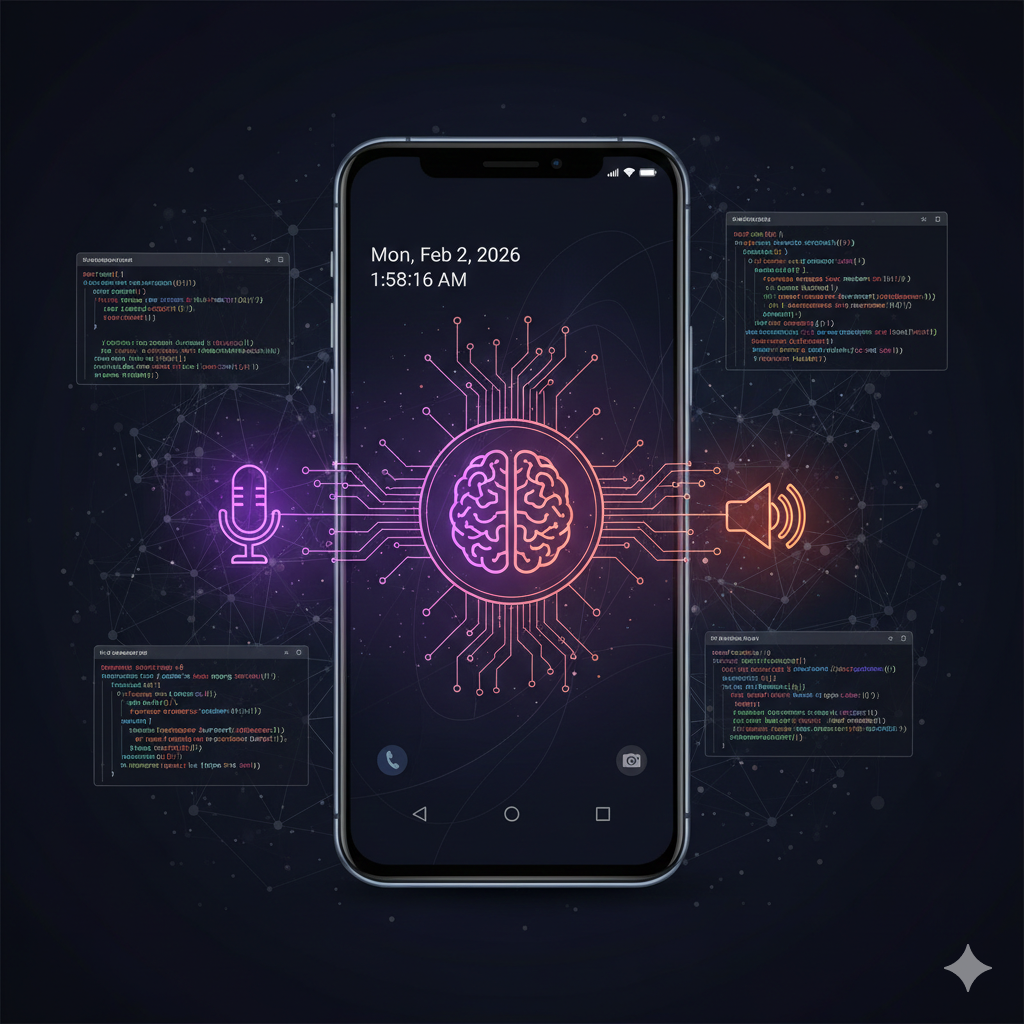
This is the culmination of the series: a voice assistant that automatically detects when you stop speaking, processes your request with an LLM, and responds with synthesized speech—all running on-device on Android.
Prerequisites
- Complete Parts 1-3 to have all three model types (LLM, STT, TTS) working in your project
- Physical device required — the pipeline uses microphone input
- All three models downloaded (~495MB total: 400 + 75 + 20)
The Voice Pipeline Flow
1┌─────────────────────────────────────────────────────────────────┐2│ Voice Assistant Pipeline │3├─────────────────────────────────────────────────────────────────┤4│ │5│ ┌─────────┐ ┌─────────┐ ┌─────────┐ ┌─────────┐ │6│ │ Record │ -> │ STT │ -> │ LLM │ -> │ TTS │ │7│ │ + VAD │ │ Whisper │ │ SmolLM2 │ │ Piper │ │8│ └─────────┘ └─────────┘ └─────────┘ └─────────┘ │9│ │ │ │10│ │ Auto-stop when │ │11│ └────────── silence detected ────────────────┘ │12│ │13└─────────────────────────────────────────────────────────────────┘
The streamVoiceSession API
Instead of manually wiring up VAD, STT, LLM, and TTS, the RunAnywhere SDK provides streamVoiceSession—a single API that handles the entire voice pipeline. You provide a continuous audio stream, and the SDK emits events as it listens, transcribes, generates responses, and synthesizes speech.
Audio Capture as a Flow
First, create an audio capture utility that provides a Flow<ByteArray> for streamVoiceSession. Create AudioCapture.kt:
1package com.example.localaiplayground.domain.services23import android.Manifest4import android.media.AudioFormat5import android.media.AudioRecord6import android.media.MediaRecorder7import androidx.annotation.RequiresPermission8import kotlinx.coroutines.channels.awaitClose9import kotlinx.coroutines.flow.Flow10import kotlinx.coroutines.flow.callbackFlow1112object AudioCapture {13 private const val SAMPLE_RATE = 1600014 private const val CHUNK_SIZE_MS = 1001516 @RequiresPermission(Manifest.permission.RECORD_AUDIO)17 fun startCapture(): Flow<ByteArray> = callbackFlow {18 val bufferSize = AudioRecord.getMinBufferSize(19 SAMPLE_RATE,20 AudioFormat.CHANNEL_IN_MONO,21 AudioFormat.ENCODING_PCM_16BIT22 )2324 val recorder = AudioRecord(25 MediaRecorder.AudioSource.MIC,26 SAMPLE_RATE,27 AudioFormat.CHANNEL_IN_MONO,28 AudioFormat.ENCODING_PCM_16BIT,29 bufferSize * 230 )3132 recorder.startRecording()3334 val chunkSize = SAMPLE_RATE * 2 * CHUNK_SIZE_MS / 1000 // bytes per chunk35 val buffer = ByteArray(chunkSize)3637 try {38 while (!isClosedForSend) {39 val bytesRead = recorder.read(buffer, 0, chunkSize)40 if (bytesRead > 0) {41 trySend(buffer.copyOf(bytesRead))42 }43 }44 } finally {45 recorder.stop()46 recorder.release()47 }4849 awaitClose { }50 }51}
This produces a continuous stream of PCM audio chunks at 16kHz mono—exactly what streamVoiceSession expects.
Pipeline State
Create VoiceAssistantViewModel.kt:
1package com.example.localaiplayground.presentation.voice23import android.app.Application4import androidx.lifecycle.AndroidViewModel5import androidx.lifecycle.viewModelScope6import com.example.localaiplayground.domain.services.AudioCapture7import com.runanywhere.sdk.public.RunAnywhere8import com.runanywhere.sdk.public.extensions.VoiceAgent.VoiceSessionConfig9import com.runanywhere.sdk.public.extensions.VoiceAgent.VoiceSessionEvent10import com.runanywhere.sdk.public.extensions.isVoiceAgentReady11import com.runanywhere.sdk.public.extensions.streamVoiceSession12import kotlinx.coroutines.*13import kotlinx.coroutines.flow.*1415enum class PipelineState {16 IDLE,17 LISTENING,18 PROCESSING,19 SPEAKING20}2122data class VoiceMessage(val text: String, val role: String) // "user" or "ai"2324data class VoiceAssistantUiState(25 val pipelineState: PipelineState = PipelineState.IDLE,26 val messages: List<VoiceMessage> = emptyList(),27 val audioLevel: Float = 0f,28 val error: String? = null,29 val isReady: Boolean = false30)3132class VoiceAssistantViewModel(application: Application) : AndroidViewModel(application) {33 private val _uiState = MutableStateFlow(VoiceAssistantUiState())34 val uiState: StateFlow<VoiceAssistantUiState> = _uiState.asStateFlow()3536 private var sessionJob: Job? = null3738 init {39 checkReadiness()40 }4142 private fun checkReadiness() {43 viewModelScope.launch {44 val isReady = RunAnywhere.isVoiceAgentReady()45 _uiState.update { it.copy(isReady = isReady) }46 }47 }4849 fun start() {50 if (_uiState.value.pipelineState != PipelineState.IDLE) return51 if (!_uiState.value.isReady) {52 _uiState.update { it.copy(error = "Models not loaded") }53 return54 }5556 sessionJob = viewModelScope.launch {57 _uiState.update {58 it.copy(59 pipelineState = PipelineState.LISTENING,60 error = null61 )62 }6364 try {65 val audioFlow = AudioCapture.startCapture()6667 val config = VoiceSessionConfig(68 silenceDuration = 1.5, // seconds of silence to trigger processing69 speechThreshold = 0.1f, // audio level threshold (0.0-1.0)70 autoPlayTTS = false, // we'll handle playback manually71 continuousMode = true // auto-resume after each turn72 )7374 RunAnywhere.streamVoiceSession(audioFlow, config).collect { event ->75 when (event) {76 is VoiceSessionEvent.Listening -> {77 _uiState.update {78 it.copy(79 pipelineState = PipelineState.LISTENING,80 audioLevel = event.audioLevel81 )82 }83 }84 is VoiceSessionEvent.SpeechStarted -> {85 // User started talking86 }87 is VoiceSessionEvent.Processing -> {88 _uiState.update {89 it.copy(pipelineState = PipelineState.PROCESSING)90 }91 }92 is VoiceSessionEvent.Transcribed -> {93 _uiState.update {94 it.copy(95 messages = it.messages + VoiceMessage(event.text, "user")96 )97 }98 }99 is VoiceSessionEvent.Responded -> {100 _uiState.update {101 it.copy(102 messages = it.messages + VoiceMessage(event.text, "ai")103 )104 }105 }106 is VoiceSessionEvent.TurnCompleted -> {107 _uiState.update {108 it.copy(pipelineState = PipelineState.SPEAKING)109 }110 // Play the synthesized audio111 event.audio?.let { audio ->112 playWavAudio(audio)113 }114 // continuousMode resumes listening automatically115 }116 is VoiceSessionEvent.Error -> {117 _uiState.update {118 it.copy(error = event.message)119 }120 }121 is VoiceSessionEvent.Stopped -> {122 _uiState.update {123 it.copy(pipelineState = PipelineState.IDLE)124 }125 }126 else -> { /* Handle other events as needed */ }127 }128 }129130 } catch (e: Exception) {131 _uiState.update {132 it.copy(133 pipelineState = PipelineState.IDLE,134 error = e.message135 )136 }137 }138 }139 }140141 fun stop() {142 sessionJob?.cancel()143 sessionJob = null144 _uiState.update { it.copy(pipelineState = PipelineState.IDLE) }145 }146147 private fun playWavAudio(audioData: ByteArray) {148 // Parse WAV header and play via AudioTrack149 // (See Part 3 for the WAV playback implementation)150 }151152 override fun onCleared() {153 super.onCleared()154 sessionJob?.cancel()155 }156}
Key difference from Parts 1-3: Instead of manually calling
transcribe(),chat(), andsynthesize()in sequence,streamVoiceSessionhandles the entire pipeline internally. You just provide audio input and react to events.
Voice Assistant Screen
Create VoiceAssistantScreen.kt:
1package com.example.localaiplayground.presentation.voice23import androidx.compose.foundation.background4import androidx.compose.foundation.clickable5import androidx.compose.foundation.layout.*6import androidx.compose.foundation.lazy.LazyColumn7import androidx.compose.foundation.lazy.items8import androidx.compose.foundation.shape.CircleShape9import androidx.compose.foundation.shape.RoundedCornerShape10import androidx.compose.material3.*11import androidx.compose.runtime.*12import androidx.compose.ui.Alignment13import androidx.compose.ui.Modifier14import androidx.compose.ui.draw.clip15import androidx.compose.ui.graphics.Color16import androidx.compose.ui.unit.dp17import androidx.lifecycle.viewmodel.compose.viewModel1819@Composable20fun VoiceAssistantScreen(21 viewModel: VoiceAssistantViewModel = viewModel()22) {23 val uiState by viewModel.uiState.collectAsState()2425 Column(26 modifier = Modifier27 .fillMaxSize()28 .background(Color.Black)29 .padding(24.dp),30 horizontalAlignment = Alignment.CenterHorizontally31 ) {32 // State indicator33 StateIndicator(state = uiState.pipelineState)3435 Spacer(modifier = Modifier.height(24.dp))3637 // Error message38 uiState.error?.let { error ->39 Surface(40 shape = RoundedCornerShape(8.dp),41 color = Color.Red.copy(alpha = 0.1f),42 modifier = Modifier.fillMaxWidth()43 ) {44 Text(45 text = error,46 color = Color.Red,47 modifier = Modifier.padding(12.dp)48 )49 }50 Spacer(modifier = Modifier.height(16.dp))51 }5253 // Conversation messages54 LazyColumn(55 modifier = Modifier.weight(1f),56 verticalArrangement = Arrangement.spacedBy(8.dp)57 ) {58 items(uiState.messages) { message ->59 ConversationBubble(60 label = if (message.role == "user") "You:" else "Assistant:",61 text = message.text,62 color = if (message.role == "user") Color(0xFF007AFF) else Color(0xFF44FF44)63 )64 }65 }6667 // Audio level indicator68 if (uiState.pipelineState == PipelineState.LISTENING) {69 LinearProgressIndicator(70 progress = { uiState.audioLevel },71 modifier = Modifier72 .fillMaxWidth()73 .height(4.dp),74 color = Color.Red,75 trackColor = Color.DarkGray76 )77 Spacer(modifier = Modifier.height(16.dp))78 }7980 // Main button81 MainButton(82 state = uiState.pipelineState,83 isReady = uiState.isReady,84 onClick = {85 when (uiState.pipelineState) {86 PipelineState.IDLE -> viewModel.start()87 else -> viewModel.stop()88 }89 }90 )9192 Spacer(modifier = Modifier.height(16.dp))9394 Text(95 text = getStateHint(uiState.pipelineState),96 color = Color.Gray,97 style = MaterialTheme.typography.bodySmall98 )99100 if (!uiState.isReady) {101 Spacer(modifier = Modifier.height(8.dp))102 Text(103 text = "Please load LLM, STT, and TTS models first",104 color = Color(0xFFFFAA00),105 style = MaterialTheme.typography.bodySmall106 )107 }108 }109}110111@Composable112private fun StateIndicator(state: PipelineState) {113 Row(114 verticalAlignment = Alignment.CenterVertically,115 horizontalArrangement = Arrangement.Center116 ) {117 Box(118 modifier = Modifier119 .size(12.dp)120 .clip(CircleShape)121 .background(getStateColor(state))122 )123 Spacer(modifier = Modifier.width(8.dp))124 Text(125 text = getStateText(state),126 color = Color.White,127 style = MaterialTheme.typography.titleMedium128 )129 }130}131132@Composable133private fun ConversationBubble(label: String, text: String, color: Color) {134 Surface(135 modifier = Modifier.fillMaxWidth(),136 shape = RoundedCornerShape(12.dp),137 color = color.copy(alpha = 0.1f)138 ) {139 Column(modifier = Modifier.padding(16.dp)) {140 Text(text = label, color = Color.Gray, style = MaterialTheme.typography.labelSmall)141 Spacer(modifier = Modifier.height(4.dp))142 Text(text = text, color = Color.White, style = MaterialTheme.typography.bodyLarge)143 }144 }145}146147@Composable148private fun MainButton(state: PipelineState, isReady: Boolean, onClick: () -> Unit) {149 Box(150 modifier = Modifier151 .size(100.dp)152 .clip(CircleShape)153 .background(154 when {155 !isReady -> Color.Gray156 state == PipelineState.IDLE -> Color(0xFF007AFF)157 else -> Color.Red158 }159 )160 .clickable(enabled = isReady, onClick = onClick),161 contentAlignment = Alignment.Center162 ) {163 Text(164 text = if (state == PipelineState.IDLE) "🎤" else "⬛",165 style = MaterialTheme.typography.headlineLarge166 )167 }168}169170private fun getStateColor(state: PipelineState): Color = when (state) {171 PipelineState.IDLE -> Color.Gray172 PipelineState.LISTENING -> Color.Red173 PipelineState.PROCESSING -> Color(0xFFFFAA00)174 PipelineState.SPEAKING -> Color(0xFF44FF44)175}176177private fun getStateText(state: PipelineState): String = when (state) {178 PipelineState.IDLE -> "Ready"179 PipelineState.LISTENING -> "Listening..."180 PipelineState.PROCESSING -> "Processing..."181 PipelineState.SPEAKING -> "Speaking..."182}183184private fun getStateHint(state: PipelineState): String = when (state) {185 PipelineState.IDLE -> "Tap to start"186 PipelineState.LISTENING -> "Stops automatically when you pause"187 PipelineState.PROCESSING -> "Transcribing and generating response..."188 PipelineState.SPEAKING -> "Playing audio response..."189}

Best Practices
1. Preload Models on App Start
1// In RunAnywhereApp.kt or during onboarding2suspend fun preloadAllModels() {3 downloadAndLoadLLM("smollm2-360m-instruct-q8_0")4 downloadAndLoadSTT("sherpa-onnx-whisper-tiny.en")5 downloadAndLoadTTS("vits-piper-en_US-lessac-medium")6}
2. Audio Format Summary
| Component | Sample Rate | Format | Channels |
|---|---|---|---|
| AudioRecord | 16,000 Hz | Int16 | 1 |
| Whisper STT | 16,000 Hz | Int16 | 1 |
| Piper TTS Output | 22,050 Hz | WAV/Int16 | 1 |
| AudioTrack | Match output | Int16 | 1 |
3. Check Model State
1// The SDK provides a single check for voice agent readiness2val isReady = RunAnywhere.isVoiceAgentReady() // checks LLM + STT + TTS
4. Session Configuration Tuning
1// For noisy environments, adjust the session config2val config = VoiceSessionConfig(3 silenceDuration = 2.0, // Longer pause tolerance (seconds)4 speechThreshold = 0.2f, // Higher for noisy environments5 autoPlayTTS = false,6 continuousMode = true7)
5. Prevent Concurrent Operations
1fun start() {2 if (_uiState.value.pipelineState != PipelineState.IDLE) return // Prevent double-starts3 // ...4}
Models Reference
| Type | Model ID | Size | Notes |
|---|---|---|---|
| LLM | smollm2-360m-instruct-q8_0 | ~400MB | SmolLM2, recommended |
| STT | sherpa-onnx-whisper-tiny.en | ~75MB | English |
| TTS | vits-piper-en_US-lessac-medium | ~20MB | US English |
Conclusion
You've built a complete voice assistant that:
- Listens with automatic speech detection
- Transcribes using on-device Whisper
- Thinks with a local LLM
- Responds with natural TTS
All processing happens on-device. No data ever leaves the phone. No API keys. No cloud costs. Pure native Android performance with Kotlin and Jetpack Compose.
This is the future of private, native Android AI applications.
Complete Source Code
The full source code is available on GitHub:
Includes:
- Starter Kotlin app matching this tutorial series
- MVVM architecture with ViewModel + StateFlow
- Jetpack Compose UI
- LLM chat, STT, TTS, and voice pipeline
Resources
Questions? Open an issue on GitHub or reach out on Twitter/X.