RunAnywhere Kotlin SDK Part 1: Chat with LLMs On-Device
Run LLMs Entirely On-Device with Android
This is Part 1 of our RunAnywhere Kotlin SDK tutorial series:
- Chat with LLMs (this post) — Project setup and streaming text generation
- Speech-to-Text — Real-time transcription with Whisper
- Text-to-Speech — Natural voice synthesis with Piper
- Voice Pipeline — Full voice assistant with VAD
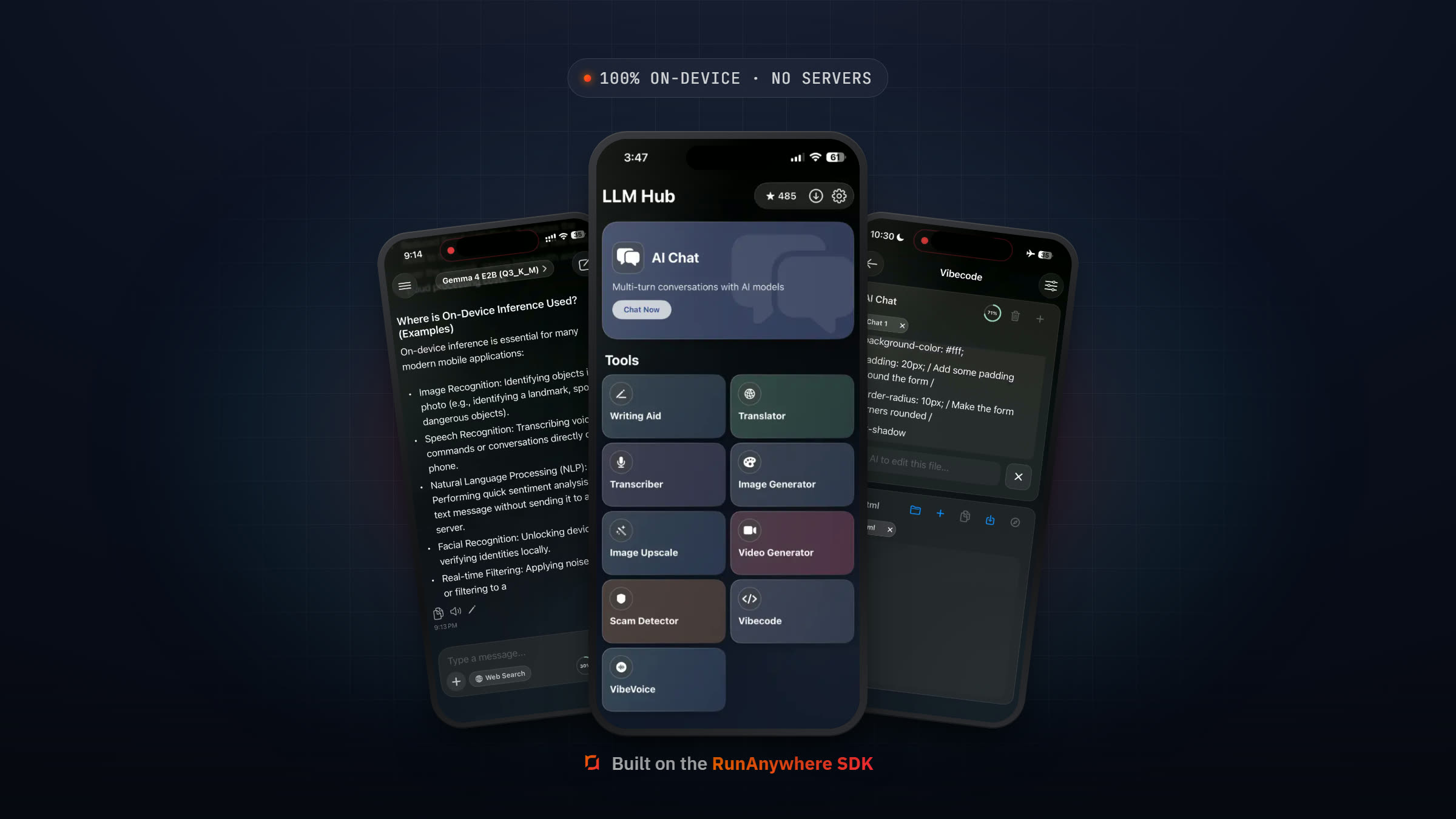
Android development with Kotlin and Jetpack Compose provides a modern, declarative way to build native apps. Now, with RunAnywhere, you can add powerful on-device AI capabilities—LLM chat, speech recognition, voice synthesis—all running locally with no cloud dependency.
In this tutorial, we'll set up the SDK and build a streaming chat interface using Kotlin Coroutines and Flow.
Why On-Device AI?
| Aspect | Cloud AI | On-Device AI |
|---|---|---|
| Privacy | Data sent to servers | Data stays on device |
| Latency | Network round-trip | Instant local processing |
| Offline | Requires internet | Works anywhere |
| Cost | Per-request billing | One-time download |
For Android apps handling sensitive data, on-device processing provides the privacy users expect.
Prerequisites
- Android Studio Hedgehog (2023.1.1) or later
- Android SDK 26+ (Android 8.0 Oreo)
- JDK 17+
- Physical device with arm64-v8a architecture recommended
- ~400MB storage for the LLM model (Parts 2-4 add ~95MB more)
Quick Start: Clone the Starter App
Want to skip the setup and jump straight to running code? Clone the complete starter app that implements everything in this tutorial series (Parts 1-4):
1git clone https://github.com/RunanywhereAI/runanywhere-sdks.git2cd runanywhere-sdks/Playground/kotlin-starter-app
Open the kotlin-starter-app folder in Android Studio, connect a physical device, and hit Run. The app includes LLM chat, speech-to-text, text-to-speech, and a full voice pipeline—all ready to go.
If you'd rather build from scratch and learn each step, keep reading below.
Project Setup
1. Create a New Android Project
In Android Studio:
- File → New → New Project
- Select "Empty Activity"
- Configure:
- Name: LocalAIPlayground
- Package: com.example.localaiplayground
- Language: Kotlin
- Minimum SDK: API 26


2. Add the JitPack Repository
The SDK is hosted on JitPack. Add it to your settings.gradle.kts:
1dependencyResolutionManagement {2 repositoriesMode.set(RepositoriesMode.PREFER_SETTINGS)3 repositories {4 google()5 mavenCentral()6 // JitPack for RunAnywhere SDK and its transitive dependencies7 maven { url = uri("https://jitpack.io") }8 }9}
3. Add the RunAnywhere SDK
Add the RunAnywhere SDK to your app's build.gradle.kts:
1dependencies {2 // RunAnywhere SDK (via JitPack)3 implementation("com.github.RunanywhereAI.runanywhere-sdks:runanywhere-sdk:v0.17.5")4 implementation("com.github.RunanywhereAI.runanywhere-sdks:runanywhere-llamacpp:v0.17.5")5 implementation("com.github.RunanywhereAI.runanywhere-sdks:runanywhere-onnx:v0.17.5")67 // Jetpack Compose (for UI)8 implementation(platform("androidx.compose:compose-bom:2024.12.01"))9 implementation("androidx.compose.ui:ui")10 implementation("androidx.compose.material3:material3")11 implementation("androidx.compose.ui:ui-tooling-preview")12 implementation("androidx.activity:activity-compose:1.8.2")13 implementation("androidx.lifecycle:lifecycle-viewmodel-compose:2.7.0")1415 // Coroutines16 implementation("org.jetbrains.kotlinx:kotlinx-coroutines-android:1.9.0")17}
Also make sure your project's gradle.properties includes:
1android.useAndroidX=true
Sync your project.
4. Configure Permissions
Add to AndroidManifest.xml:
1<uses-permission android:name="android.permission.INTERNET" />2<uses-permission android:name="android.permission.RECORD_AUDIO" />
SDK Initialization
The SDK requires initialization in your Application class or main Activity. The critical step on Android is initializing the platform context before calling RunAnywhere.initialize().
Create RunAnywhereApp.kt:
1package com.example.localaiplayground23import android.app.Application4import android.util.Log5import com.runanywhere.sdk.core.onnx.ONNX6import com.runanywhere.sdk.core.types.InferenceFramework7import com.runanywhere.sdk.foundation.bridge.extensions.CppBridgeModelPaths8import com.runanywhere.sdk.llm.llamacpp.LlamaCPP9import com.runanywhere.sdk.public.RunAnywhere10import com.runanywhere.sdk.public.SDKEnvironment11import com.runanywhere.sdk.public.extensions.Models.ModelCategory12import com.runanywhere.sdk.public.extensions.registerModel13import com.runanywhere.sdk.storage.AndroidPlatformContext1415class RunAnywhereApp : Application() {16 companion object {17 private const val TAG = "RunAnywhereApp"18 }1920 override fun onCreate() {21 super.onCreate()22 initializeSDK()23 }2425 private fun initializeSDK() {26 try {27 // Step 1: Initialize Android platform context FIRST28 AndroidPlatformContext.initialize(this)2930 // Step 2: Initialize core SDK31 RunAnywhere.initialize(environment = SDKEnvironment.DEVELOPMENT)32 Log.d(TAG, "SDK: RunAnywhere initialized")3334 // Step 3: Set base directory for model storage35 val runanywherePath = java.io.File(filesDir, "runanywhere").absolutePath36 CppBridgeModelPaths.setBaseDirectory(runanywherePath)3738 // Step 4: Register backends BEFORE registering models39 LlamaCPP.register(priority = 100)40 ONNX.register(priority = 100)41 Log.d(TAG, "SDK: Backends registered")4243 // Step 5: Register the LLM model44 RunAnywhere.registerModel(45 id = "smollm2-360m-instruct-q8_0",46 name = "SmolLM2 360M Instruct Q8_0",47 url = "https://huggingface.co/HuggingFaceTB/SmolLM2-360M-Instruct-GGUF/resolve/main/smollm2-360m-instruct-q8_0.gguf",48 framework = InferenceFramework.LLAMA_CPP,49 modality = ModelCategory.LANGUAGE,50 memoryRequirement = 400_000_00051 )52 Log.d(TAG, "SDK: LLM model registered")5354 } catch (e: Exception) {55 Log.e(TAG, "SDK initialization failed", e)56 }57 }58}
Important:
AndroidPlatformContext.initialize(this)must be called beforeRunAnywhere.initialize(). This sets up the Android-specific storage and threading context that the native SDK layer requires.
Note:
CppBridgeModelPaths.setBaseDirectory()tells the SDK where to store downloaded models on disk. Without this, model downloads will fail.
Register in AndroidManifest.xml:
1<application2 android:name=".RunAnywhereApp"3 ...>
Architecture Overview
1┌─────────────────────────────────────────────────────┐2│ RunAnywhere Core │3│ (Unified API, Model Management) │4├───────────────────────┬─────────────────────────────┤5│ LlamaCPP Backend │ ONNX Backend │6│ ───────────────── │ ───────────────── │7│ • Text Generation │ • Speech-to-Text │8│ • Chat Completion │ • Text-to-Speech │9│ • Streaming │ • Voice Activity (VAD) │10└───────────────────────┴─────────────────────────────┘
Downloading & Loading Models
Create ChatViewModel.kt:
1package com.example.localaiplayground.presentation.chat23import androidx.lifecycle.ViewModel4import androidx.lifecycle.viewModelScope5import com.runanywhere.sdk.public.RunAnywhere6import com.runanywhere.sdk.public.extensions.availableModels7import com.runanywhere.sdk.public.extensions.chat8import com.runanywhere.sdk.public.extensions.downloadModel9import com.runanywhere.sdk.public.extensions.loadLLMModel10import kotlinx.coroutines.flow.*11import kotlinx.coroutines.launch1213data class ChatMessage(14 val id: String = System.currentTimeMillis().toString(),15 val role: String, // "user" or "assistant"16 val content: String17)1819data class ChatUiState(20 val messages: List<ChatMessage> = emptyList(),21 val isLoading: Boolean = true,22 val isGenerating: Boolean = false,23 val downloadProgress: Float = 0f,24 val isModelLoaded: Boolean = false,25 val error: String? = null26)2728class ChatViewModel : ViewModel() {29 private val _uiState = MutableStateFlow(ChatUiState())30 val uiState: StateFlow<ChatUiState> = _uiState.asStateFlow()3132 private val modelId = "smollm2-360m-instruct-q8_0"3334 init {35 loadModel()36 }3738 private fun loadModel() {39 viewModelScope.launch {40 try {41 // Check if already downloaded42 val models = RunAnywhere.availableModels()43 val isDownloaded = models.any { it.id == modelId && it.localPath != null }4445 if (!isDownloaded) {46 // Download with progress tracking (~400MB)47 RunAnywhere.downloadModel(modelId)48 .catch { e -> _uiState.update { it.copy(error = "Download failed: ${e.message}") } }49 .collect { progress ->50 _uiState.update {51 it.copy(downloadProgress = progress.progress)52 }53 }54 }5556 // Load into memory57 RunAnywhere.loadLLMModel(modelId)5859 _uiState.update {60 it.copy(61 isLoading = false,62 isModelLoaded = true63 )64 }6566 } catch (e: Exception) {67 _uiState.update {68 it.copy(69 isLoading = false,70 error = e.message71 )72 }73 }74 }75 }7677 fun sendMessage(text: String) {78 if (text.isBlank() || _uiState.value.isGenerating) return7980 viewModelScope.launch {81 // Add user message82 _uiState.update {83 it.copy(84 messages = it.messages + ChatMessage(role = "user", content = text),85 isGenerating = true86 )87 }8889 try {90 // Send message and get response91 val response = RunAnywhere.chat(text)9293 _uiState.update { state ->94 state.copy(95 messages = state.messages + ChatMessage(96 role = "assistant",97 content = response98 )99 )100 }101102 } catch (e: Exception) {103 _uiState.update { state ->104 state.copy(105 messages = state.messages + ChatMessage(106 role = "assistant",107 content = "Error: ${e.message}"108 )109 )110 }111 } finally {112 _uiState.update { it.copy(isGenerating = false) }113 }114 }115 }116}
Note:
chat()is a suspend function that sends a prompt and returns the complete response. It runs onDispatchers.IOinternally, so it's safe to call from a coroutine scope. ThedownloadModel()returns a Kotlin Flow for progress tracking, andavailableModels()lets you check download status.

Chat UI with Jetpack Compose
Create ChatScreen.kt:
1package com.example.localaiplayground.presentation.chat23import androidx.compose.foundation.background4import androidx.compose.foundation.layout.*5import androidx.compose.foundation.lazy.LazyColumn6import androidx.compose.foundation.lazy.items7import androidx.compose.foundation.lazy.rememberLazyListState8import androidx.compose.foundation.shape.RoundedCornerShape9import androidx.compose.material3.*10import androidx.compose.runtime.*11import androidx.compose.ui.Alignment12import androidx.compose.ui.Modifier13import androidx.compose.ui.graphics.Color14import androidx.compose.ui.unit.dp15import androidx.lifecycle.viewmodel.compose.viewModel1617@Composable18fun ChatScreen(19 viewModel: ChatViewModel = viewModel()20) {21 val uiState by viewModel.uiState.collectAsState()22 var inputText by remember { mutableStateOf("") }23 val listState = rememberLazyListState()2425 // Auto-scroll to bottom when new messages arrive26 LaunchedEffect(uiState.messages.size) {27 if (uiState.messages.isNotEmpty()) {28 listState.animateScrollToItem(uiState.messages.size - 1)29 }30 }3132 Column(33 modifier = Modifier34 .fillMaxSize()35 .background(Color.Black)36 ) {37 // Loading state38 if (uiState.isLoading) {39 Box(40 modifier = Modifier.fillMaxSize(),41 contentAlignment = Alignment.Center42 ) {43 Column(horizontalAlignment = Alignment.CenterHorizontally) {44 CircularProgressIndicator()45 Spacer(modifier = Modifier.height(16.dp))46 Text(47 "Downloading model... ${(uiState.downloadProgress * 100).toInt()}%",48 color = Color.White49 )50 Spacer(modifier = Modifier.height(8.dp))51 LinearProgressIndicator(52 progress = { uiState.downloadProgress },53 modifier = Modifier54 .fillMaxWidth()55 .padding(horizontal = 32.dp)56 )57 }58 }59 return60 }6162 // Messages63 LazyColumn(64 state = listState,65 modifier = Modifier66 .weight(1f)67 .fillMaxWidth()68 .padding(16.dp),69 verticalArrangement = Arrangement.spacedBy(8.dp)70 ) {71 items(uiState.messages) { message ->72 MessageBubble(message)73 }74 }7576 // Input77 Row(78 modifier = Modifier79 .fillMaxWidth()80 .background(Color(0xFF111111))81 .padding(16.dp),82 verticalAlignment = Alignment.CenterVertically83 ) {84 OutlinedTextField(85 value = inputText,86 onValueChange = { inputText = it },87 placeholder = { Text("Type a message...") },88 modifier = Modifier.weight(1f),89 enabled = uiState.isModelLoaded && !uiState.isGenerating,90 colors = OutlinedTextFieldDefaults.colors(91 focusedTextColor = Color.White,92 unfocusedTextColor = Color.White,93 focusedBorderColor = Color(0xFF007AFF),94 unfocusedBorderColor = Color.Gray95 )96 )9798 Spacer(modifier = Modifier.width(8.dp))99100 Button(101 onClick = {102 viewModel.sendMessage(inputText)103 inputText = ""104 },105 enabled = uiState.isModelLoaded &&106 !uiState.isGenerating &&107 inputText.isNotBlank()108 ) {109 Text(if (uiState.isGenerating) "..." else "Send")110 }111 }112 }113}114115@Composable116fun MessageBubble(message: ChatMessage) {117 val isUser = message.role == "user"118119 Box(120 modifier = Modifier.fillMaxWidth(),121 contentAlignment = if (isUser) Alignment.CenterEnd else Alignment.CenterStart122 ) {123 Surface(124 shape = RoundedCornerShape(16.dp),125 color = if (isUser) Color(0xFF007AFF) else Color(0xFF333333),126 modifier = Modifier.widthIn(max = 280.dp)127 ) {128 Text(129 text = message.content.ifEmpty { "..." },130 color = Color.White,131 modifier = Modifier.padding(12.dp)132 )133 }134 }135}
Models Reference
| Model ID | Size | Notes |
|---|---|---|
smollm2-360m-instruct-q8_0 | ~400MB | SmolLM2, lightweight and fast (recommended) |
qwen2.5-0.5b-instruct-q4_k_m | ~400MB | Qwen 2.5, strong multilingual |
lfm2-350m-q4_k_m | ~250MB | LiquidAI LFM2, fast and efficient |
Troubleshooting
| Issue | Solution |
|---|---|
| Gradle sync failure | Ensure JDK 17+, check that maven { url = uri("https://jitpack.io") } is in your settings.gradle.kts |
| Dependency not found | Verify android.useAndroidX=true in gradle.properties; confirm JitPack repo is added |
| "Library not found" on emulator | Use a physical ARM64 (arm64-v8a) device — emulators are x86 and won't work |
| Model download fails | Check INTERNET permission in AndroidManifest.xml; ensure CppBridgeModelPaths.setBaseDirectory() is called |
| App crashes on launch | Verify minSdkVersion 26 in build.gradle, check LogCat for native library load errors |
| SDK init fails silently | Ensure AndroidPlatformContext.initialize(this) is called BEFORE RunAnywhere.initialize() |
What's Next
In Part 2, we'll add speech-to-text capabilities using Whisper with Android's AudioRecord API.
Resources
Questions? Open an issue on GitHub or reach out on Twitter/X.