RunAnywhere Flutter SDK Part 3: Text-to-Speech with Piper
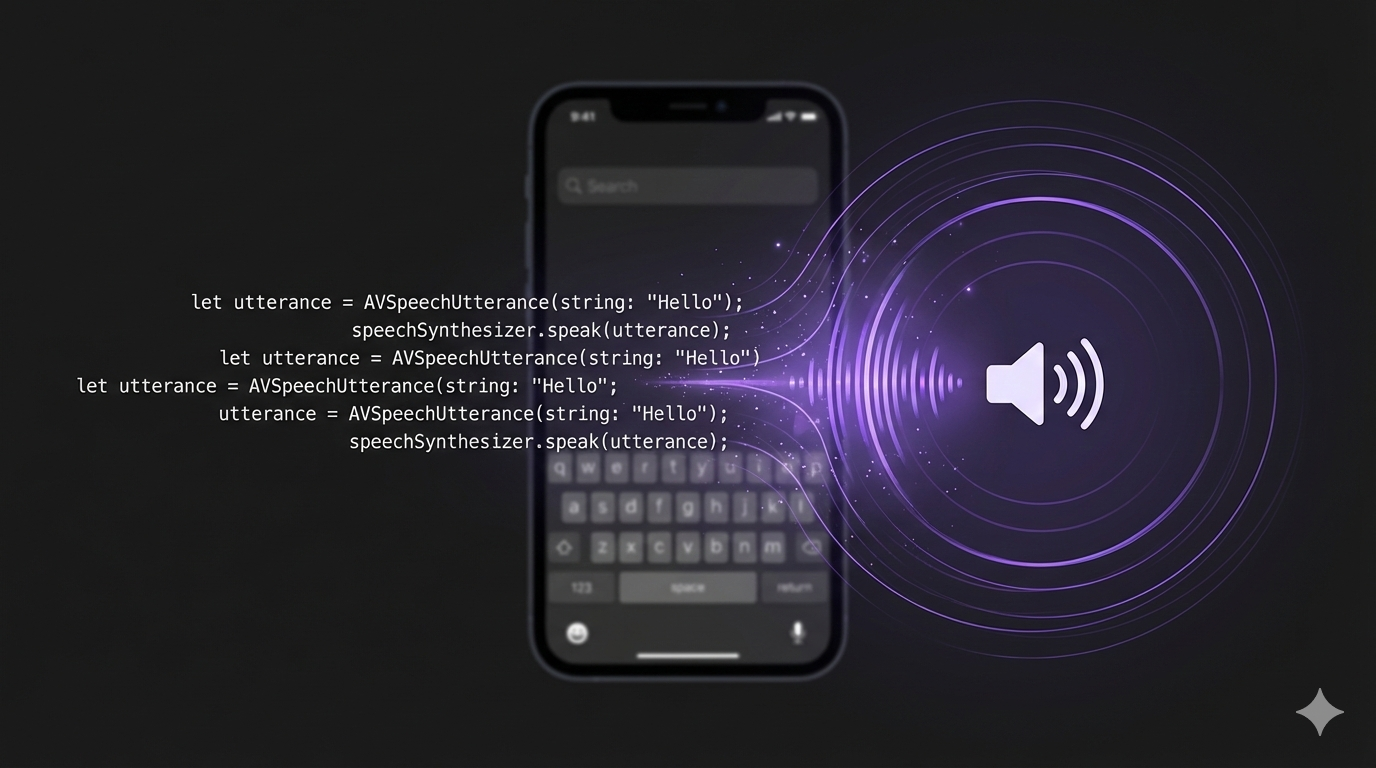
Natural Voice Synthesis Entirely On-Device
This is Part 3 of our RunAnywhere Flutter SDK tutorial series:
- Chat with LLMs — Project setup and streaming text generation
- Speech-to-Text — Real-time transcription with Whisper
- Text-to-Speech (this post) — Natural voice synthesis with Piper
- Voice Pipeline — Full voice assistant with VAD
Text-to-speech brings your app to life. With RunAnywhere, you can synthesize natural-sounding speech using Piper—completely on-device, with no network latency, working identically on iOS and Android.
Like STT, TTS has an audio format consideration: Piper outputs raw Float32 PCM samples that need to be converted for playback.
Prerequisites
- Complete Part 1 first to set up your project with the RunAnywhere SDK
- ~65MB additional storage for the Piper voice model
Dependencies
Add the audio playback package to your pubspec.yaml:
1dependencies:2 audioplayers: ^6.0.0
Then run:
1flutter pub get
Register the TTS Voice
Add Piper to your model registration in your initialization code:
1// Register TTS voice (Piper)2RunAnywhere.registerModel(3 id: 'vits-piper-en_US-lessac-medium',4 name: 'Piper US English',5 url: 'https://github.com/RunanywhereAI/sherpa-onnx/releases/download/runanywhere-models-v1/vits-piper-en_US-lessac-medium.tar.gz',6 framework: InferenceFramework.onnx,7 modality: ModelCategory.speechSynthesis,8 artifactType: ArtifactType.tarGzArchive,9 memoryRequirement: 65000000,10);
Important: Piper Output Format
Piper outputs audio in a specific format:
| Parameter | Value |
|---|---|
| Sample Rate | 22,050 Hz |
| Channels | 1 (mono) |
| Format | 32-bit float (Float32) PCM |
Most audio players can't play raw Float32 PCM directly—you need to convert to a playable format or use a specialized player.
Loading and Using TTS
1// Download the voice (one-time, ~65MB)2final isDownloaded = await RunAnywhere.isModelDownloaded('vits-piper-en_US-lessac-medium');34if (!isDownloaded) {5 await for (final progress in RunAnywhere.downloadModel('vits-piper-en_US-lessac-medium')) {6 debugPrint('Download: ${(progress.progress * 100).toStringAsFixed(1)}%');7 if (progress.stage == DownloadStage.completed) break;8 }9}1011// Load TTS voice into memory12await RunAnywhere.loadTTSVoice('vits-piper-en_US-lessac-medium');1314// Synthesize speech15final result = await RunAnywhere.synthesize(16 'Hello, world!',17 rate: 1.0,18 pitch: 1.0,19 volume: 1.0,20);2122// result.samples is Float32List at 22kHz23// result.sampleRate is 2205024// result.duration is the audio length in seconds
API Pattern: Like
loadSTTModel(), the SDK usesloadTTSVoice()for speech synthesis models. LLM, STT, and TTS each have dedicated load/unload methods because they use different runtimes and memory pools. You can have all three loaded simultaneously.
Audio Playback Service
Create lib/services/audio_playback_service.dart:
1import 'dart:typed_data';2import 'package:flutter/foundation.dart';3import 'package:audioplayers/audioplayers.dart';4import 'package:path_provider/path_provider.dart';5import 'dart:io';67class AudioPlaybackService {8 final AudioPlayer _player = AudioPlayer();910 /// Convert Float32 samples to WAV file and play11 Future<void> playFloat32Audio(Float32List samples, int sampleRate) async {12 // Convert Float32 to Int1613 final int16Data = _convertFloat32ToInt16(samples);1415 // Create WAV file16 final wavData = _createWavFile(int16Data, sampleRate);1718 // Save to temp file19 final directory = await getTemporaryDirectory();20 final wavPath = '${directory.path}/tts_output_${DateTime.now().millisecondsSinceEpoch}.wav';21 final file = File(wavPath);22 await file.writeAsBytes(wavData);2324 debugPrint('Audio saved to: $wavPath (${wavData.length} bytes)');2526 // Play the WAV file27 await _player.play(DeviceFileSource(wavPath));2829 // Wait for playback to complete30 await _player.onPlayerComplete.first;3132 // Clean up temp file33 try {34 await file.delete();35 } catch (_) {}36 }3738 /// Stop current playback39 Future<void> stop() async {40 await _player.stop();41 }4243 /// Convert Float32 samples to Int1644 Uint8List _convertFloat32ToInt16(Float32List samples) {45 final int16Bytes = ByteData(samples.length * 2);4647 for (int i = 0; i < samples.length; i++) {48 // Clamp to [-1, 1] range and scale to Int1649 final clamped = samples[i].clamp(-1.0, 1.0);50 final int16Value = (clamped * 32767).toInt();51 int16Bytes.setInt16(i * 2, int16Value, Endian.little);52 }5354 return int16Bytes.buffer.asUint8List();55 }5657 /// Create a WAV file from Int16 audio data58 Uint8List _createWavFile(Uint8List audioData, int sampleRate) {59 const channels = 1;60 const bitsPerSample = 16;61 final byteRate = sampleRate * channels * (bitsPerSample ~/ 8);62 final blockAlign = channels * (bitsPerSample ~/ 8);63 final dataSize = audioData.length;64 final fileSize = 36 + dataSize;6566 final header = ByteData(44);67 int offset = 0;6869 // RIFF header70 header.setUint8(offset++, 0x52); // R71 header.setUint8(offset++, 0x49); // I72 header.setUint8(offset++, 0x46); // F73 header.setUint8(offset++, 0x46); // F74 header.setUint32(offset, fileSize, Endian.little);75 offset += 4;76 header.setUint8(offset++, 0x57); // W77 header.setUint8(offset++, 0x41); // A78 header.setUint8(offset++, 0x56); // V79 header.setUint8(offset++, 0x45); // E8081 // fmt subchunk82 header.setUint8(offset++, 0x66); // f83 header.setUint8(offset++, 0x6D); // m84 header.setUint8(offset++, 0x74); // t85 header.setUint8(offset++, 0x20); // space86 header.setUint32(offset, 16, Endian.little); // Subchunk size87 offset += 4;88 header.setUint16(offset, 1, Endian.little); // PCM format89 offset += 2;90 header.setUint16(offset, channels, Endian.little);91 offset += 2;92 header.setUint32(offset, sampleRate, Endian.little);93 offset += 4;94 header.setUint32(offset, byteRate, Endian.little);95 offset += 4;96 header.setUint16(offset, blockAlign, Endian.little);97 offset += 2;98 header.setUint16(offset, bitsPerSample, Endian.little);99 offset += 2;100101 // data subchunk102 header.setUint8(offset++, 0x64); // d103 header.setUint8(offset++, 0x61); // a104 header.setUint8(offset++, 0x74); // t105 header.setUint8(offset++, 0x61); // a106 header.setUint32(offset, dataSize, Endian.little);107108 // Combine header and audio data109 final result = Uint8List(44 + audioData.length);110 result.setRange(0, 44, header.buffer.asUint8List());111 result.setRange(44, 44 + audioData.length, audioData);112113 return result;114 }115116 /// Dispose of resources117 void dispose() {118 _player.dispose();119 }120}
Important: The Float32-to-Int16 conversion is essential for standard audio players. The clamping step ensures no overflow during scaling.
Complete TTS View
Create lib/features/tts/text_to_speech_view.dart:
1import 'package:flutter/material.dart';2import 'package:runanywhere/runanywhere.dart';3import '../../services/audio_playback_service.dart';45class TextToSpeechView extends StatefulWidget {6 const TextToSpeechView({super.key});78 @override9 State<TextToSpeechView> createState() => _TextToSpeechViewState();10}1112class _TextToSpeechViewState extends State<TextToSpeechView> {13 final TextEditingController _controller = TextEditingController(14 text: 'Hello! This is text-to-speech running entirely on your device.',15 );16 final AudioPlaybackService _audioService = AudioPlaybackService();1718 bool _isSynthesizing = false;19 bool _isModelLoaded = false;20 double _downloadProgress = 0.0;21 double _speechRate = 1.0;22 double _pitch = 1.0;2324 @override25 void initState() {26 super.initState();27 _loadModel();28 }2930 Future<void> _loadModel() async {31 const modelId = 'vits-piper-en_US-lessac-medium';3233 final isDownloaded = await RunAnywhere.isModelDownloaded(modelId);3435 if (!isDownloaded) {36 await for (final progress in RunAnywhere.downloadModel(modelId)) {37 setState(() {38 _downloadProgress = progress.progress;39 });40 if (progress.stage == DownloadStage.completed) break;41 }42 }4344 await RunAnywhere.loadTTSVoice(modelId);45 setState(() {46 _isModelLoaded = true;47 });48 }4950 Future<void> _synthesizeAndPlay() async {51 final text = _controller.text.trim();52 if (text.isEmpty || _isSynthesizing) return;5354 setState(() {55 _isSynthesizing = true;56 });5758 try {59 final result = await RunAnywhere.synthesize(60 text,61 rate: _speechRate,62 pitch: _pitch,63 volume: 1.0,64 );6566 debugPrint('Synthesized: ${result.duration.toStringAsFixed(2)}s, ${result.sampleRate}Hz');6768 // Play the audio69 await _audioService.playFloat32Audio(result.samples, result.sampleRate);7071 } catch (e) {72 ScaffoldMessenger.of(context).showSnackBar(73 SnackBar(content: Text('TTS Error: $e')),74 );75 } finally {76 setState(() {77 _isSynthesizing = false;78 });79 }80 }8182 @override83 Widget build(BuildContext context) {84 return Scaffold(85 appBar: AppBar(86 title: const Text('Text to Speech'),87 ),88 body: Padding(89 padding: const EdgeInsets.all(24),90 child: Column(91 crossAxisAlignment: CrossAxisAlignment.start,92 children: [93 // Status indicator94 if (!_isModelLoaded)95 Column(96 children: [97 const Text('Downloading voice model...'),98 const SizedBox(height: 8),99 LinearProgressIndicator(value: _downloadProgress),100 const SizedBox(height: 24),101 ],102 ),103104 // Text input105 TextField(106 controller: _controller,107 maxLines: 4,108 decoration: const InputDecoration(109 labelText: 'Text to speak',110 border: OutlineInputBorder(),111 ),112 ),113114 const SizedBox(height: 24),115116 // Speed slider117 Text('Speed: ${_speechRate.toStringAsFixed(1)}x'),118 Slider(119 value: _speechRate,120 min: 0.5,121 max: 2.0,122 divisions: 15,123 onChanged: (value) => setState(() => _speechRate = value),124 ),125126 const SizedBox(height: 16),127128 // Pitch slider129 Text('Pitch: ${_pitch.toStringAsFixed(1)}'),130 Slider(131 value: _pitch,132 min: 0.5,133 max: 1.5,134 divisions: 10,135 onChanged: (value) => setState(() => _pitch = value),136 ),137138 const SizedBox(height: 32),139140 // Speak button141 SizedBox(142 width: double.infinity,143 child: ElevatedButton.icon(144 onPressed: _isModelLoaded && !_isSynthesizing145 ? _synthesizeAndPlay146 : null,147 icon: Icon(_isSynthesizing ? Icons.hourglass_empty : Icons.volume_up),148 label: Text(_isSynthesizing ? 'Synthesizing...' : 'Speak'),149 style: ElevatedButton.styleFrom(150 padding: const EdgeInsets.all(16),151 ),152 ),153 ),154 ],155 ),156 ),157 );158 }159}

Memory Management
When you're done with TTS, unload the voice to free memory:
1// Unload TTS voice2await RunAnywhere.unloadTTSVoice();
TTS voices can be loaded independently alongside the LLM and STT models—they don't conflict.
Models Reference
| Model ID | Size | Notes |
|---|---|---|
vits-piper-en_US-lessac-medium | ~65MB | Natural US English |
What's Next
In Part 4, we'll combine everything into a complete voice assistant with automatic Voice Activity Detection.
Resources
Frequently Asked Questions
Why don't I hear any audio when I tap Speak?
Do I need to convert Piper's output?
I used loadSTTModel() for Piper and it failed.
The AudioPlaybackService only prints to debug — how do I play audio?
The Piper model download hangs or is slow.
My registerModel call fails with a type error.
Can I load TTS alongside LLM and STT?
How much additional RAM does the Piper model use?
Questions? Open an issue on GitHub or reach out on Twitter/X.