On-Device Browser Agent: AI Web Automation Without the Cloud
What if your browser could understand "find the cheapest flight to Tokyo" and just do it?
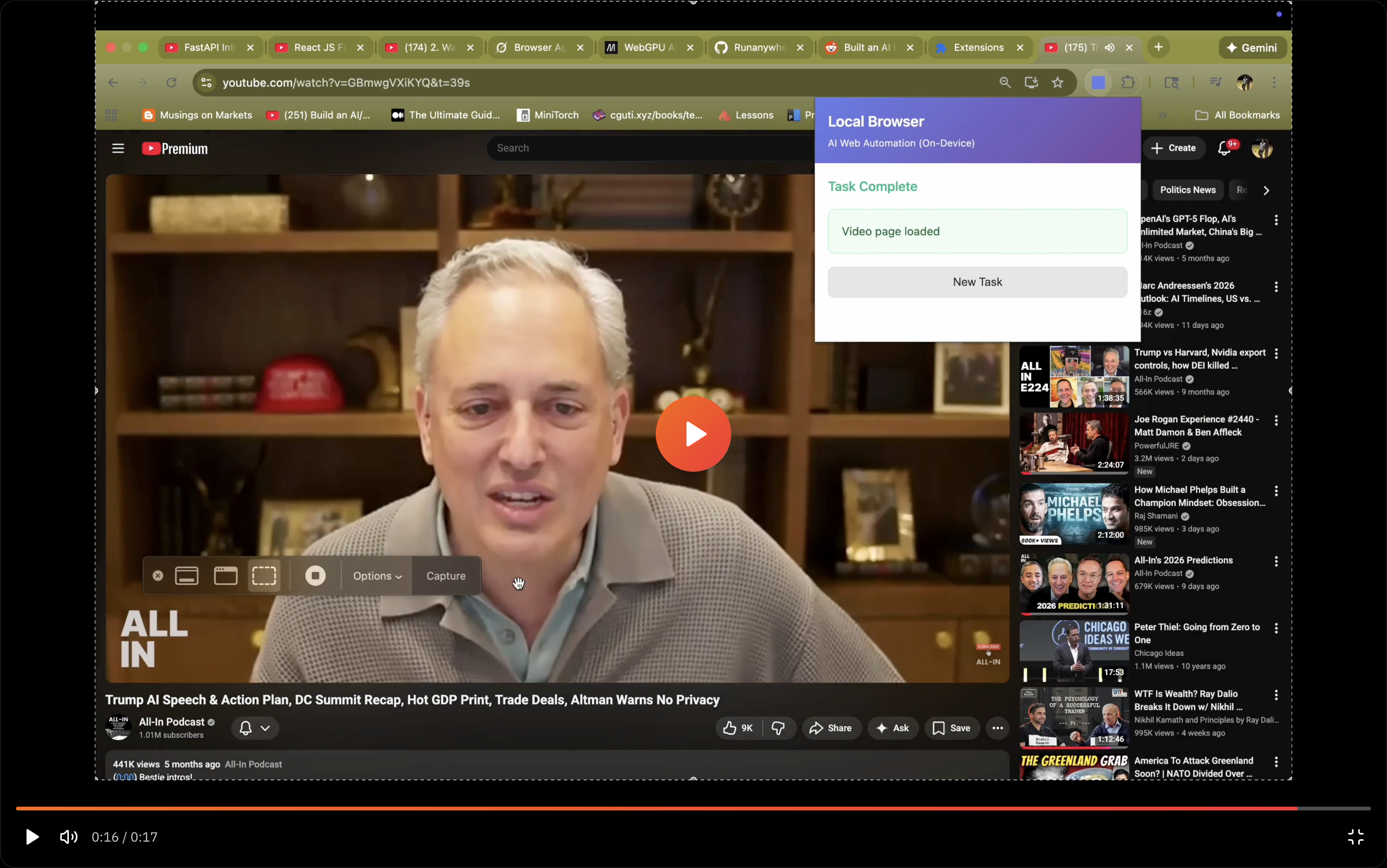
We built On-Device Browser Agent—a Chrome extension that turns natural language into browser actions, powered entirely by on-device AI.
What It Does
Type what you want in plain English. The agent figures out the rest:
- "Search Wikipedia for quantum computing and get the first paragraph"
- "Go to Amazon, find wireless earbuds under $50, and add the top-rated one to cart"
- "Fill out this contact form with my details"
No scripting. No API keys. No cloud calls.
How It Works
The extension uses a dual-agent architecture:
- Planner Agent — Analyzes your request and creates a step-by-step strategy
- Navigator Agent — Examines the page, decides actions, and executes them
Both agents run locally in your browser using WebLLM with WebGPU acceleration.
1You: "Find the price of the latest MacBook Pro on Apple's website"23Planner:41. Navigate to apple.com52. Find MacBook Pro in navigation63. Locate pricing information74. Extract and return the price89Navigator: [Executes each step, adapting to page changes]1011Result: "The 14-inch MacBook Pro starts at $1,999"
Why On-Device?
| Cloud AI | On-Device AI |
|---|---|
| Data sent to servers | Data stays in your browser |
| Requires API keys | No accounts needed |
| Monthly costs | Free after download |
| Needs internet | Works offline |
For browser automation, the privacy implications of cloud AI are significant—every page you visit, every form you fill, every search you make would need to be sent to external servers.
On-device processing means your browsing stays yours.
Model Options
Choose based on your hardware:
| Model | Size | Best For |
|---|---|---|
| Qwen 2.5 3B | 2GB | Complex reasoning |
| Qwen 2.5 1.5B | 1GB | Balanced performance |
| Llama 3.2 1B | 0.6GB | Speed and efficiency |
Models download once and cache locally.
Try It
1git clone https://github.com/RunanywhereAI/on-device-browser-agent2cd on-device-browser-agent3npm install4npm run build
Then load the dist/ folder as an unpacked extension in Chrome.
Requirements: Chrome 124+ with WebGPU support.
The Untapped Power of WebGPU
Here's something most developers don't realize: your browser now has direct access to GPU compute.
WebGPU landed in Chrome 113 (May 2023) and has been quietly rolling out across browsers since. It's the successor to WebGL, but designed for modern GPU architectures—compute shaders, parallel processing, the works. The same capabilities that power CUDA and Metal, now available in JavaScript.
Yet almost no one is using it.
The web development world is still thinking in terms of "send data to server, get response back." Meanwhile, the average laptop GPU sits idle, capable of running billions of floating-point operations per second.
WebLLM changes this equation. It compiles LLMs to run directly on WebGPU, achieving inference speeds that rival native applications. A 3B parameter model runs at 20+ tokens per second on a MacBook. No server. No API. Just your browser and your GPU.
Why This Matters for Browser Agents
Browser automation has always had a fundamental tension: the agent needs to understand what's on the page, but sending page content to external servers creates massive privacy and security risks.
Think about what a browser agent sees:
- Your banking dashboard
- Your email inbox
- Your medical records
- Your shopping history
- Every form you fill out
Cloud-based agents require you to trust that all this data is handled responsibly. On-device agents eliminate the question entirely—the data never leaves.
This isn't just about privacy paranoia. It's about enabling use cases that were previously impossible:
- Automating workflows on internal corporate tools
- Handling sensitive personal data (health, finance)
- Operating in air-gapped or restricted environments
- Running without internet connectivity
Where We're Headed
This project is a proof-of-concept, but it points toward something bigger. Here's what we're excited to explore:
Smarter DOM Understanding
Current browser agents treat pages as text. But the DOM is a rich structure—spatial relationships, visual hierarchy, interactive elements. We want to experiment with models that truly understand web interfaces, not just parse them.
Persistent Memory
Imagine an agent that remembers your preferences across sessions. "Book a flight" becomes smarter when it knows you prefer aisle seats and hate layovers. On-device storage makes this possible without cloud accounts.
Multi-Tab Orchestration
Real workflows span multiple tabs—research in one, compose in another, reference in a third. Coordinating agents across browser contexts opens up complex automation that single-page tools can't touch.
Hybrid Local-Cloud
Some tasks need more horsepower than a laptop GPU provides. We're interested in intelligent routing—handle simple actions locally, escalate complex reasoning to the cloud only when necessary, with user consent.
Fine-Tuned Web Models
General-purpose LLMs work, but models specifically trained on web interaction patterns could be dramatically more efficient. Smaller, faster, more accurate at the specific task of browser automation.
The Bigger Picture
We're at an inflection point. For the first time, consumer hardware can run capable AI models. WebGPU brings GPU compute to 3 billion browser users. The pieces are in place for a fundamental shift in how AI applications are built.
The cloud isn't going away—it's essential for training, for heavy workloads, for collaboration. But inference? The part where AI actually helps you do things? That can happen locally, privately, instantly.
Browser agents are just one application. The same architecture applies to writing assistants, code helpers, image tools, anything that processes your personal data. The browser becomes an AI runtime, not just a thin client.
We built this project to see what's possible. The answer: more than we expected.
This is a proof-of-concept demonstrating what's possible when AI runs where your data lives—in your browser, on your device, under your control.
Check out the full source code: github.com/RunanywhereAI/on-device-browser-agent